
Santander International Logo
Register Log on
Log on
Register Log on
Log on

How to download a CSV File for use in Xero

Log on to online banking

Click on view transactions

To view the date selection you need:

  • Click "View full transaction list"
  • Then click the Search button
  • Enter your desired date range, making sure the start date is the day after the last transaction date in Xero

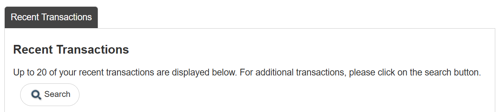


Click on Download in CSV

Then select  XERO
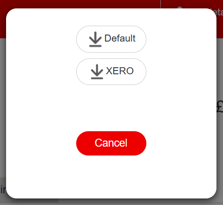
The file will download, and you’ll be able to upload it directly to Xero.

Log on to online banking

Click on view transactions

To view the date selection you need:

  • Click "View full transaction list"
  • Then click the Search button
  • Enter your desired date range, making sure the start date is the day after the last transaction date in Xero


Click on Download in CSV

Then select  XERO

The file will download, and you’ll be able to upload it directly to Xero.

Back to guides